
Shebang DevBoard · Android keyboard · v0.6.0
The keyboard for people who write code on their phones.
Every symbol on one page, real terminal keys for Termux, and glide typing that reads the word before you lift. Shebang DevBoard runs entirely on your phone: its only permission is VIBRATE.
- Platform Android 8.0+
- Build v0.6.0 · signed APK
- Permissions VIBRATE only
- Network none
- License MIT
Three keyboards in one
Prose, code and a terminal, without switching apps.
Text mode
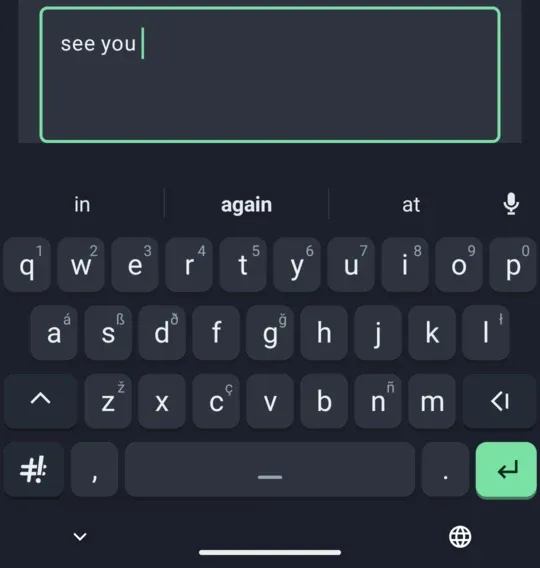
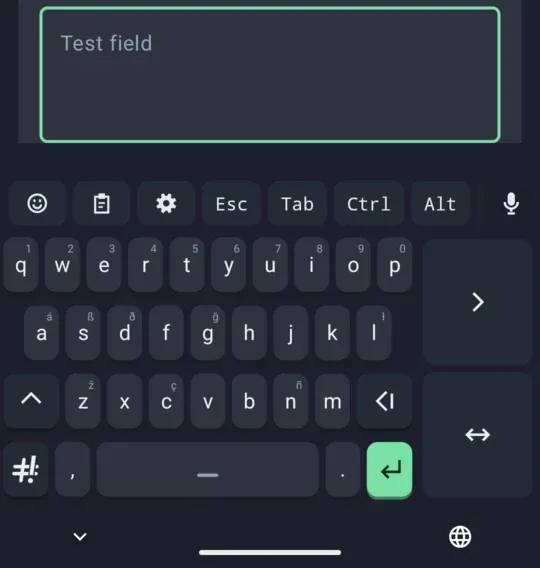
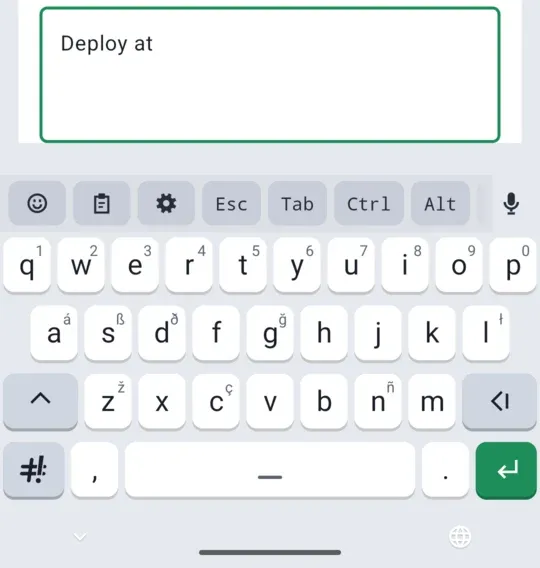
QWERTY with suggestions, next-word predictions from the whole sentence, long-press alternates (a letter's capital first), auto-capitalisation and glide typing.
Code mode #!
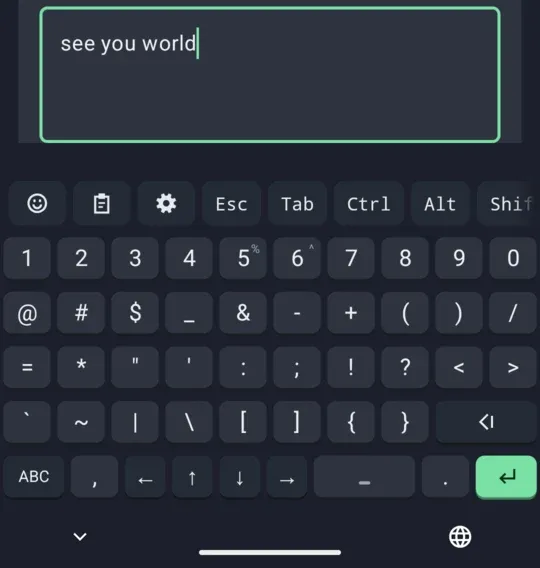
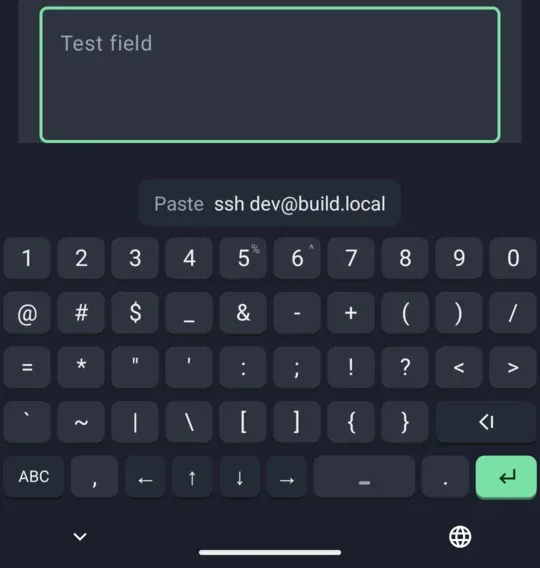
Every digit and printable ASCII symbol on one page, plus arrow keys. ` ~ | \ [ ] { } get a row of their own. No shift, no autocorrect, no hunting through three symbol pages.
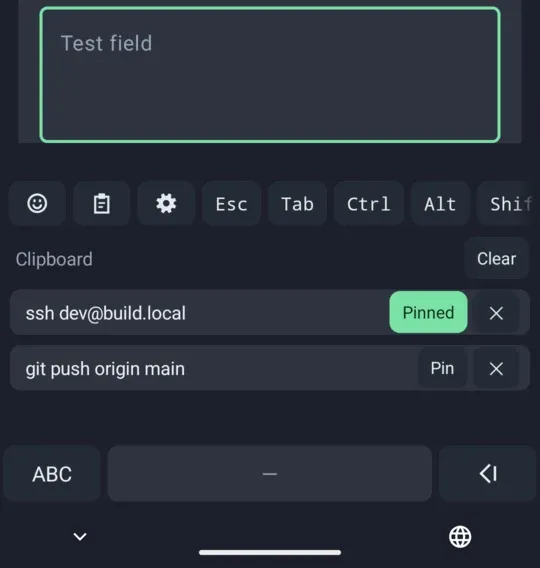
Terminal bar
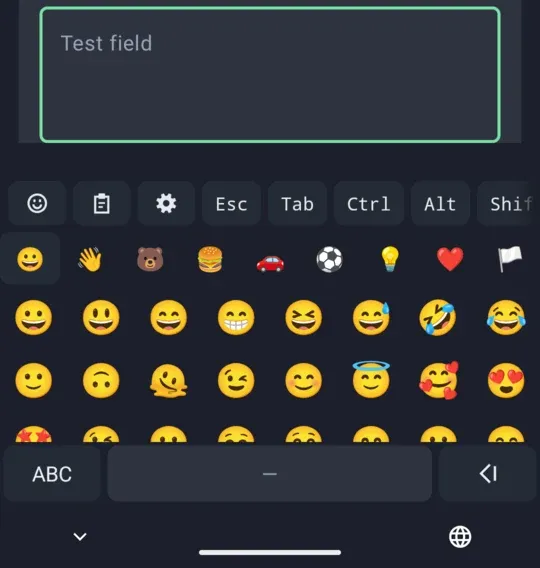
Esc, Tab, Ctrl, Alt, ^C, arrows, F1–F12 and snippets, sent as real key events so Termux and other terminals receive them. Sticky modifiers: Ctrl then c sends Ctrl+C. It also opens emoji, clipboard history and settings.
Typing that learns you
Quick to glide, careful to correct.
glide
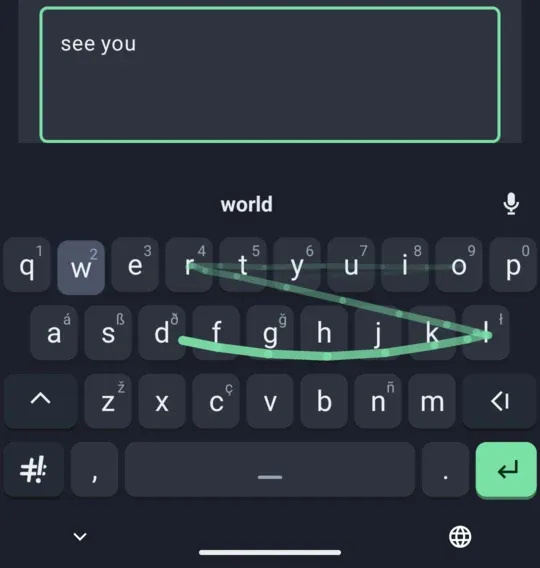
Glide typing that reads ahead
Decodes while your finger moves and weighs the word before it. Tap inside a word and glide to redo it, or write several words in one stroke by dipping into the space bar.
tap
Autocorrect that knows where you tapped
A slip is weighed by where your finger came down, and the keyboard learns where your own taps land on each key.
dict
Dictionaries you choose
Packs for brands and names, development and terminal words, computer terms, and slang, each one switchable, plus your own word lists. "cpu" becomes CPU; "lol" stays lol.
TYPE_NULL
Knows what field it's in
Terminals get raw characters, passwords get no suggestions or glide, number fields a numeric pad, email fields an @, web addresses / and @.
clip
Clipboard history and autofill
Text and pictures, with pins, and a chip offering what you just copied. On Android 11+ your password manager's suggestions appear right in the strip.
theme
Twelve themes, one hand
Night, Day, Phosphor, Amber, Paper, High Contrast and six more. One-handed mode shrinks the keys to either side.
Privacy
android.permission.VIBRATE
One permission. No network code. No analytics.
What the keyboard learns (word counts, word pairs, how you swipe) stays in the app's private files, where you can review and delete it under Settings › Learning and privacy. It never learns from password, number, email, URL or terminal fields. The single exception, remembering email addresses you type into email fields, can be switched off.
A closer look
Screens from the 0.5.4 release on Android 16.
Add-on · Shebang Voice
Speak instead of type, still offline.
Speech typing comes as a separate app, so the keyboard keeps VIBRATE as its only permission. Shebang Voice holds the microphone permission and has no network access either: it runs OpenAI's Whisper (base.en) through whisper.cpp on the phone's own CPU.
Voice is newer than the keyboard and its speed on phones is still being tuned. Its APK sits beside the keyboard's on every release.
Install in three steps
- Download
Shebang-DevBoard-0.6.0-release-signed.apkfrom the latest release, and Shebang Voice too if you want it. - Open the file to install it. Android may ask you to allow installs from your browser first.
- Open Shebang DevBoard from your launcher and follow its three steps: enable, select, try it.
To update, install a newer APK over the old one; your settings and learned words stay.
Questions
Good to know
Is it on Google Play?
Not yet. Signed releases are published on GitHub for now.
Why doesn't it check for updates?
Checking would need network access, and installing would need the install-packages permission. Together those are exactly what Android's malware scanning looks for in a keyboard, so the app never downloads anything. Watch the releases page on GitHub instead.
Does it work with Termux and SSH apps?
Yes. The terminal bar sends real key events, and terminal fields get raw characters with no composing. Undo, Redo, Cut, Copy and Paste ask the app itself, so a terminal never receives a stray Ctrl+Z.
Can I build it myself?
Yes. You need JDK 17 or later and the Android SDK; the Gradle wrapper does the rest. The README has the full steps, including the speech model Voice needs.
git clone https://github.com/aquilaelabs/Shebang-DevBoard.git
cd Shebang-DevBoard
tools/fetch_voice_model.sh   # the 57 MB speech model Voice builds with
./gradlew installDebug
Which languages does it type?
English. You can import your own word lists from a text file to add words of your own.