

AerieOS · self-hosted · open source
Your own server, for your files, your apps and your code.
One dashboard for your disks, your shares, your media and photo apps, your VMs and your projects. Coding agents are there when you want them, and off until you start one.
- Class Home server and workshop
- Editions AerieOS · Aerie Workshop
- AI Optional, off until started
- Telemetry None
- License Apache 2.0
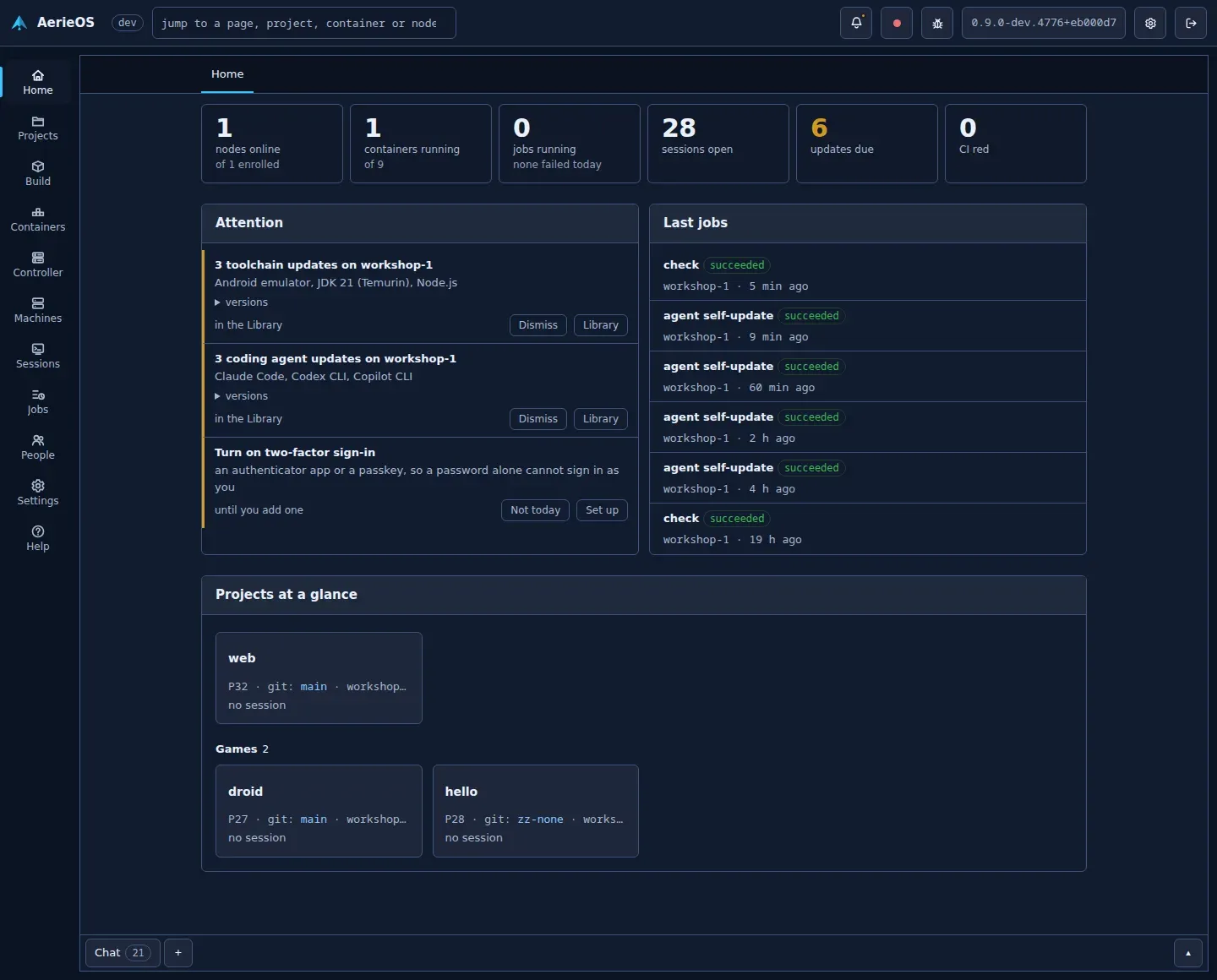
Two ways to run it
The OS, or the workshop alone.
It is the same software in both, and a controller moves from one to the other without losing its machines. Pick by what the machine is for.
The whole machine
AerieOS
The NAS and the workshop, on a machine of its own. Your disks as pools or an array, with shares, snapshots and backups, plus projects, builds, containers and VMs. It works as a NAS with no AI at all.
- Runs on A machine of its own
- Storage Pools, an array, shares
- Linux install Released
- ISO or USB Experimental
A container on your host
Aerie Workshop
The workshop alone, with its coding agents, beside what your NAS, home server or VPS already does. It has no storage of its own: your host keeps its disks, and the work runs on machines you enroll.
- Runs on Any host with Docker
- Storage None, by design
- Install docker compose up
- State Released
The NAS, in AerieOS
A NAS first, with AI only if you want it.
No coding agent is installed until you install one, and none runs until you start it. This part comes with AerieOS, not Aerie Workshop.
zfs · parity
Your disks, your way
ZFS pools when the disks match, or an array of mixed disks with parity that grows a disk at a time, with snapshots on a schedule and backups off the machine.
smb · nfs
Shares
SMB and NFS shares with access per person, Time Machine included, served by the kernel and Samba themselves.
library
Apps in a click
Jellyfin, Plex, Immich, Nextcloud, Home Assistant and more from the Library, each a container, behind the machine's nginx with a certificate.
kvm
Virtual machines
From a cloud image or an installer's ISO, Windows included, with snapshots, USB devices passed through and the screen in your browser.
ro
Moving the NAS you have
Disks another system made are taken as they are, never formatted, and read-only by default so their parity stays good.
a/b
Built to come back
The OS updates into a second slot and falls back by itself when an update does not come up, with a console and a rescue entry for when the network does not answer.
The workshop, in both
One controller. Your machines do the work.
AerieOS is a controller and the machines you enroll under it, the nodes. The controller keeps the dashboard and the record of every project: its plan, its bugs, its rules, its design. The nodes run the sessions, builds, tests, CI, Android emulators, containers and VMs.
- Pick an edition. Install AerieOS on a machine of its own, or run Aerie Workshop as a container on a host you already have.
- Make the owner. Open port 7680 right away: the first account made is the owner.
- Enroll a node. The Nodes page writes one script for a Linux machine or VM. A bare-metal or OS controller is already its own node.
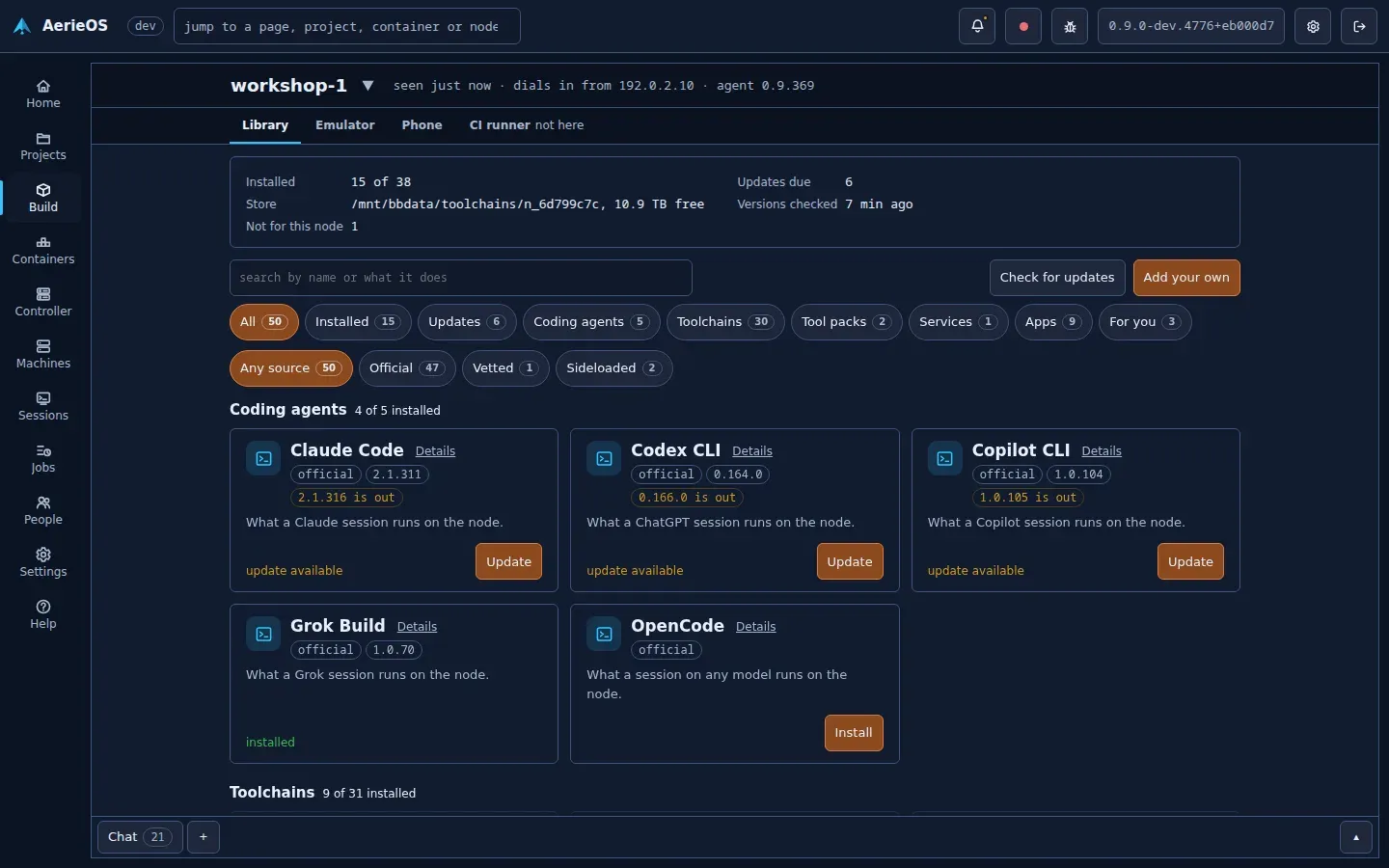
- Add a project. Add its repository and press Start agent if you want one. The session starts on the project's node, briefed with its rules and plan, and keeps going after you close the tab.
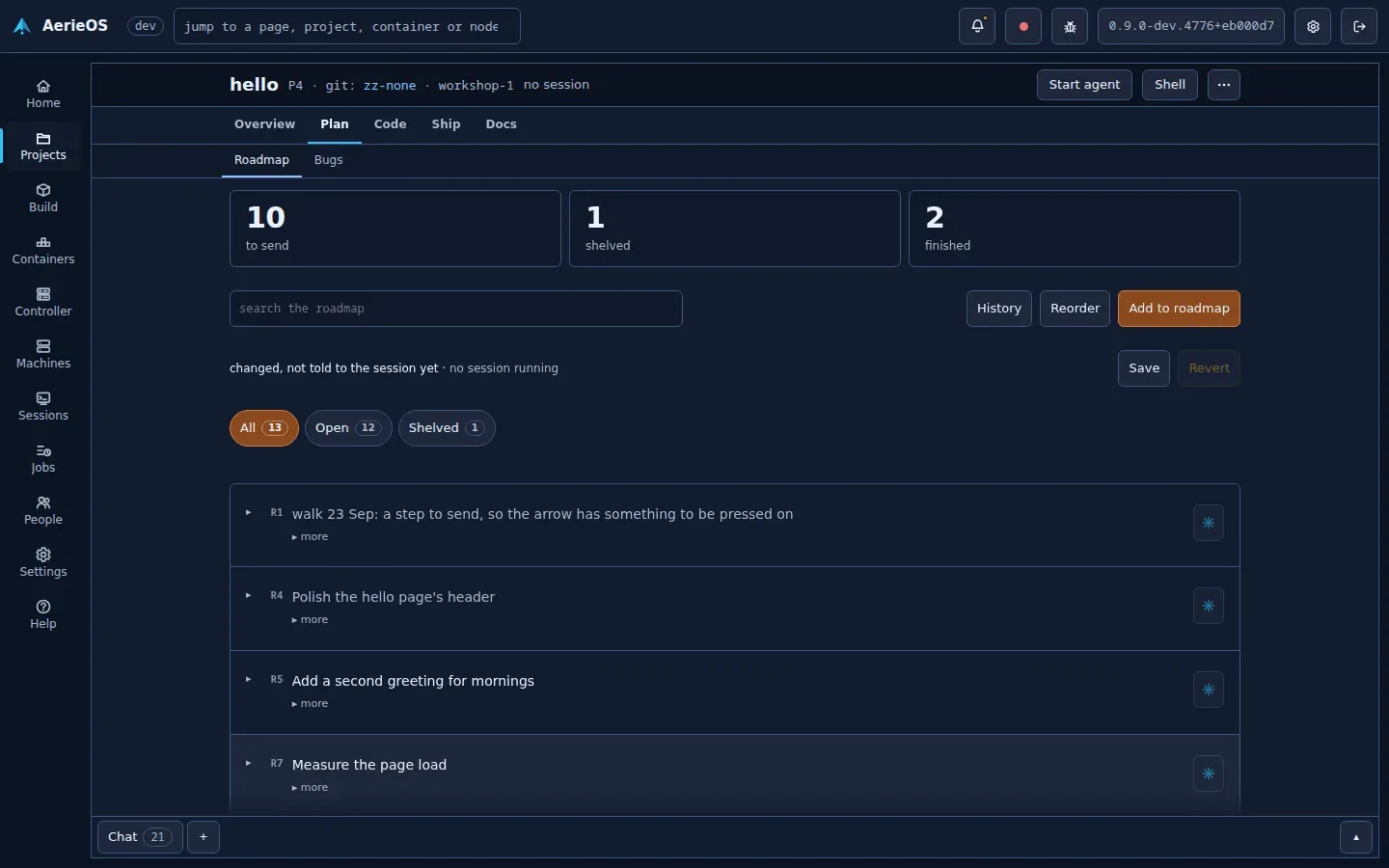
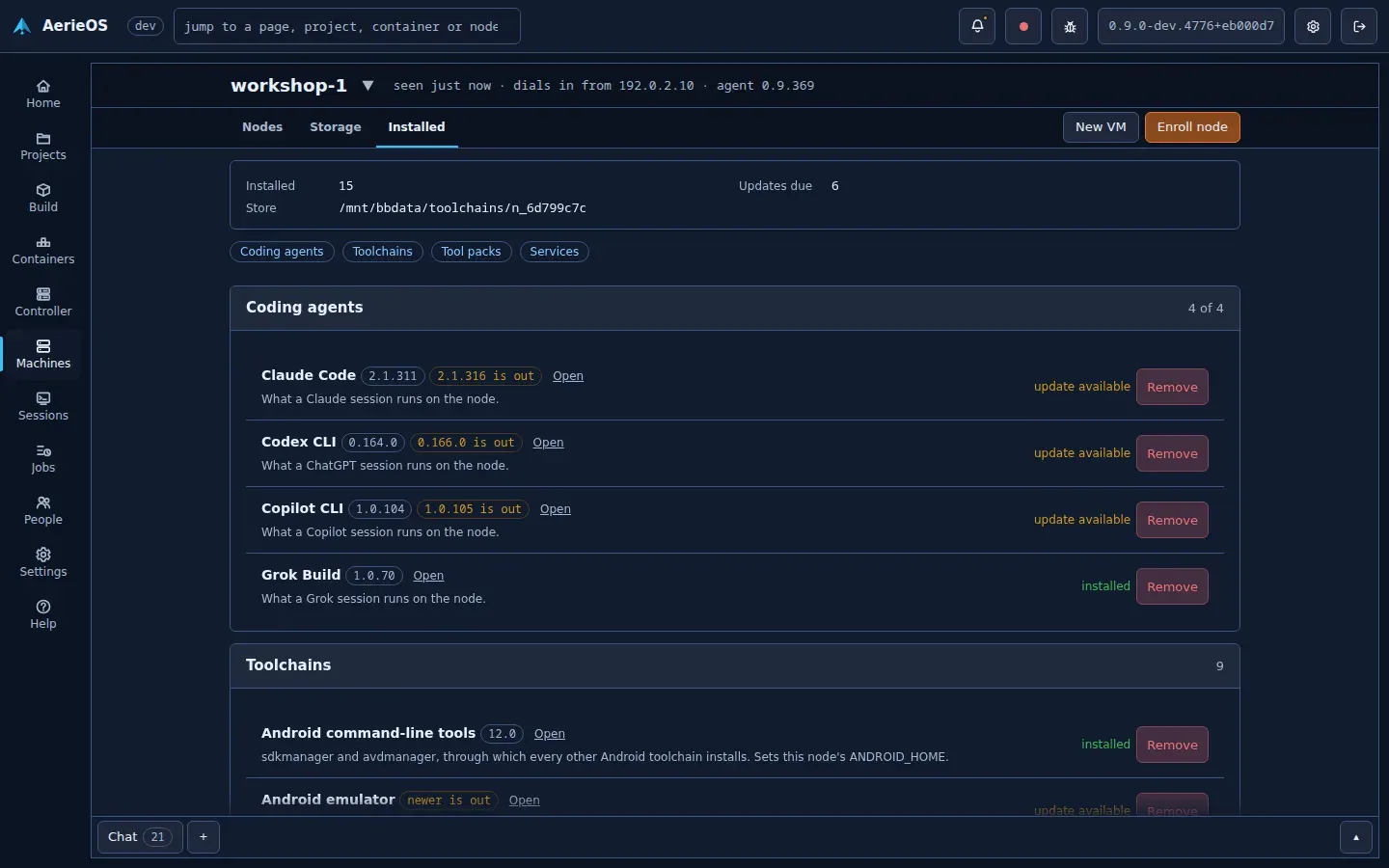
What a machine has
Coding agents, toolchains, tool packs and services, each installed per machine and configured where it lives.
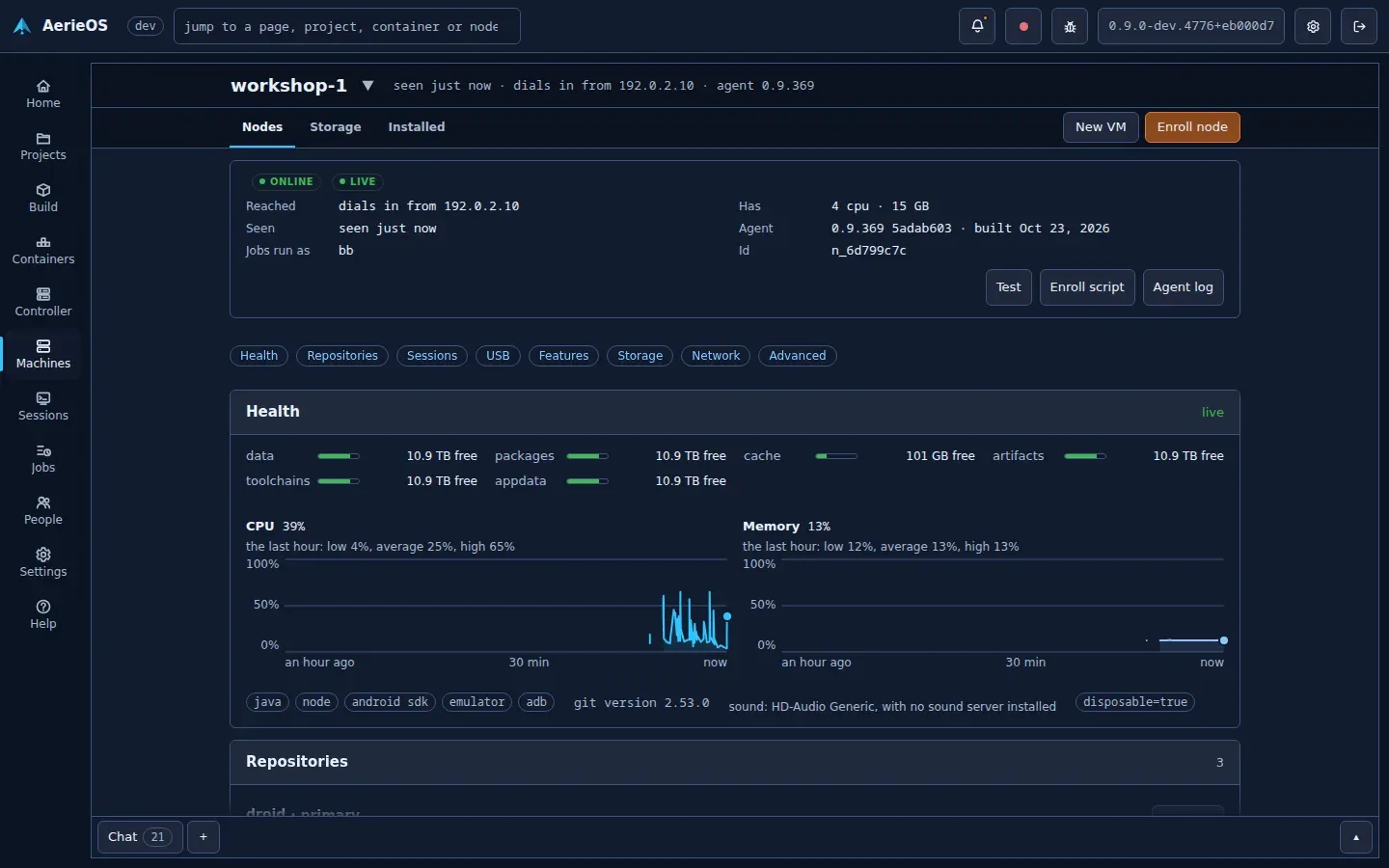
Machines that do the work
Enroll a Linux machine or VM with one script. Each one reports its health, and the work runs there, never on the controller by accident.
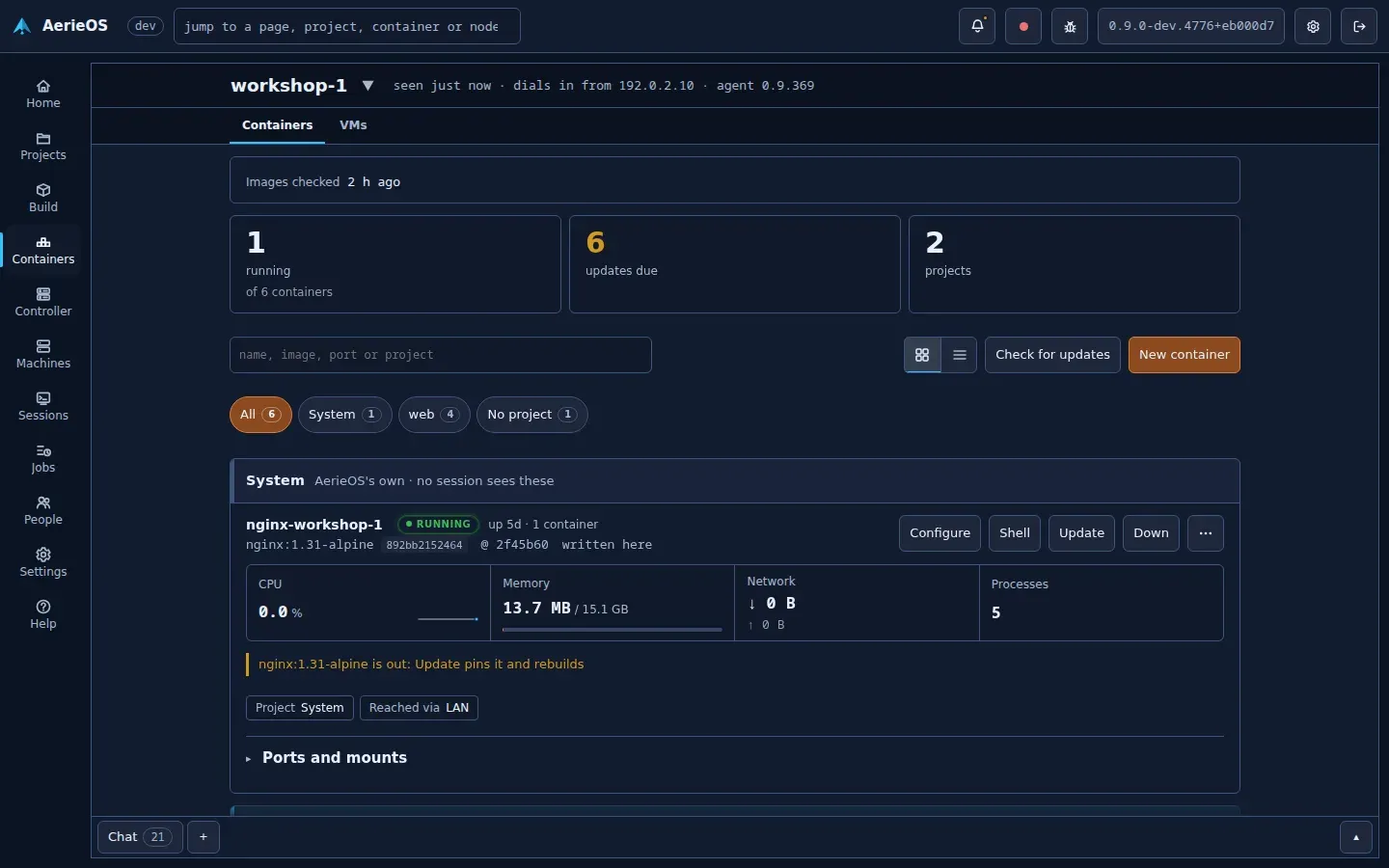
Containers and hosting
Each machine's containers in one place, with what is running, what has an update and an nginx to put a hostname and a certificate in front.
If you do want AI
Assisted, not run by it.
Claude Code, Codex CLI, Copilot CLI, Grok Build and any model through a node's model router. A session is held to the dials you set: what it may do on its own, what it asks you first, and what it may never do.
new vm
Ask for a VM
Describe the machine you need, and a session makes it on the project's node, where the project allows it.
compose.yml
Ask for a service
A session writes the compose file for what you describe, and the container is made once you say yes on the bell.
logs
Ask why something stopped
A session reads a container's logs and the machine's, where it has been granted them, and says what went wrong and how to fix it.
auto · ask · deny
A dial for everything
Accounts have roles and per-project access. Each thing a session may do is allowed, asked of a person, or refused.
On a phone
Your server, from anywhere you can reach it.
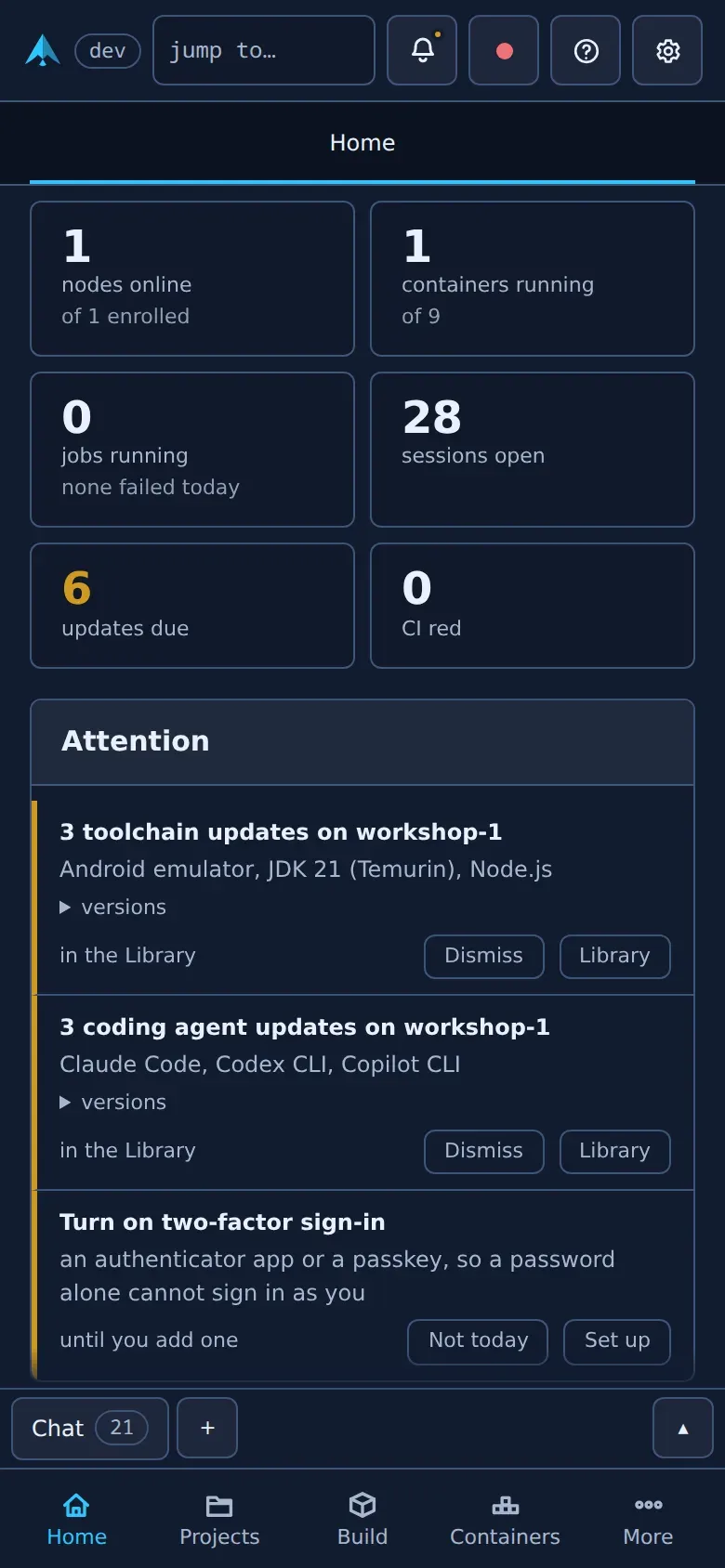
The dashboard works at phone width: the counts, the bell, a project's roadmap, and real terminals in the dock with the keys a phone keyboard lacks.
Privacy
TELEMETRY: NONE
Yours, on machines you own.
Everything AerieOS keeps stays on your controller and your nodes. Nothing is sent to its authors: no telemetry, no usage reporting, no account with us. A coding session you do start talks to its provider, so you choose what it may see.
Get started
The quickest way in.
Aerie Workshop is one container on a host you already run. AerieOS installs on a Linux machine of its own, or from an ISO or a USB stick on a machine you can wipe.
# Aerie Workshop: the minimal docker-compose.yml
services:
  aerie-workshop:
    image: ghcr.io/aquilaelabs/aerieos:latest
    restart: unless-stopped
    ports: ["7680:7680"]
    volumes:
      - ./config:/config
      - ./workspace:/workspace

docker compose up -d # then open http://THE-HOST:7680Not ready for production
AerieOS is early, experimental software that changes fast. Its coding agents edit, commit, run and push code on your machines, and its storage takes over disks. Nothing in it has been audited, and it comes with no warranty.
Run it only on machines you can wipe, on repositories made for testing, and with data you have backed up elsewhere or can afford to lose. Some projects, employers and clients forbid AI coding tools: AerieOS does not check that for you.
Questions
Good to know
Which one should I run?
AerieOS if the machine is yours to give over and you want its disks, shares and apps run from one dashboard. Aerie Workshop if you already have a NAS or a server you are happy with and want only the workshop beside it.
Do I have to use AI?
No. AerieOS works as a NAS with no AI at all: no coding agent is installed until you install one, and none runs until you start it.
Can I change my mind later?
Yes. It is the same software in both, and a controller moves from one to the other without losing its machines.
Is the OS ready?
Aerie Workshop and the install on your own Linux are released. The ISO and USB editions and the installed editions' storage are new in 0.9 and experimental, so try them on a machine you can wipe, with disks whose data you have copied elsewhere.
What does it cost?
AerieOS is free and open source under the Apache License 2.0. A coding agent, if you use one, needs its own account with its provider.
Wasn't this called BuilderBot?
Yes. It was renamed AerieOS, and old GitHub links still lead to it.
Open source
AerieOS has a home of its own.
The full feature list, the editions and every install path are on its website, and the code, releases and changelog are on GitHub.