

MediaReducer · self-hosted · Docker
Your media library, kept inside the space you have.
MediaReducer reads your library from Plex (through Tautulli), Jellyfin, or both. It scores every movie and TV season on watch history and IMDb rating, and when storage runs short it deletes the lowest-scoring first, so the backups and photos on your NAS never have to fight the movies for room.
- Deploy Docker Compose · Unraid
- Sources Plex + Tautulli · Jellyfin
- Optional Radarr · Sonarr · Apprise
- Web UI port 7474 · LAN only
- Status Early, experimental
- License MIT
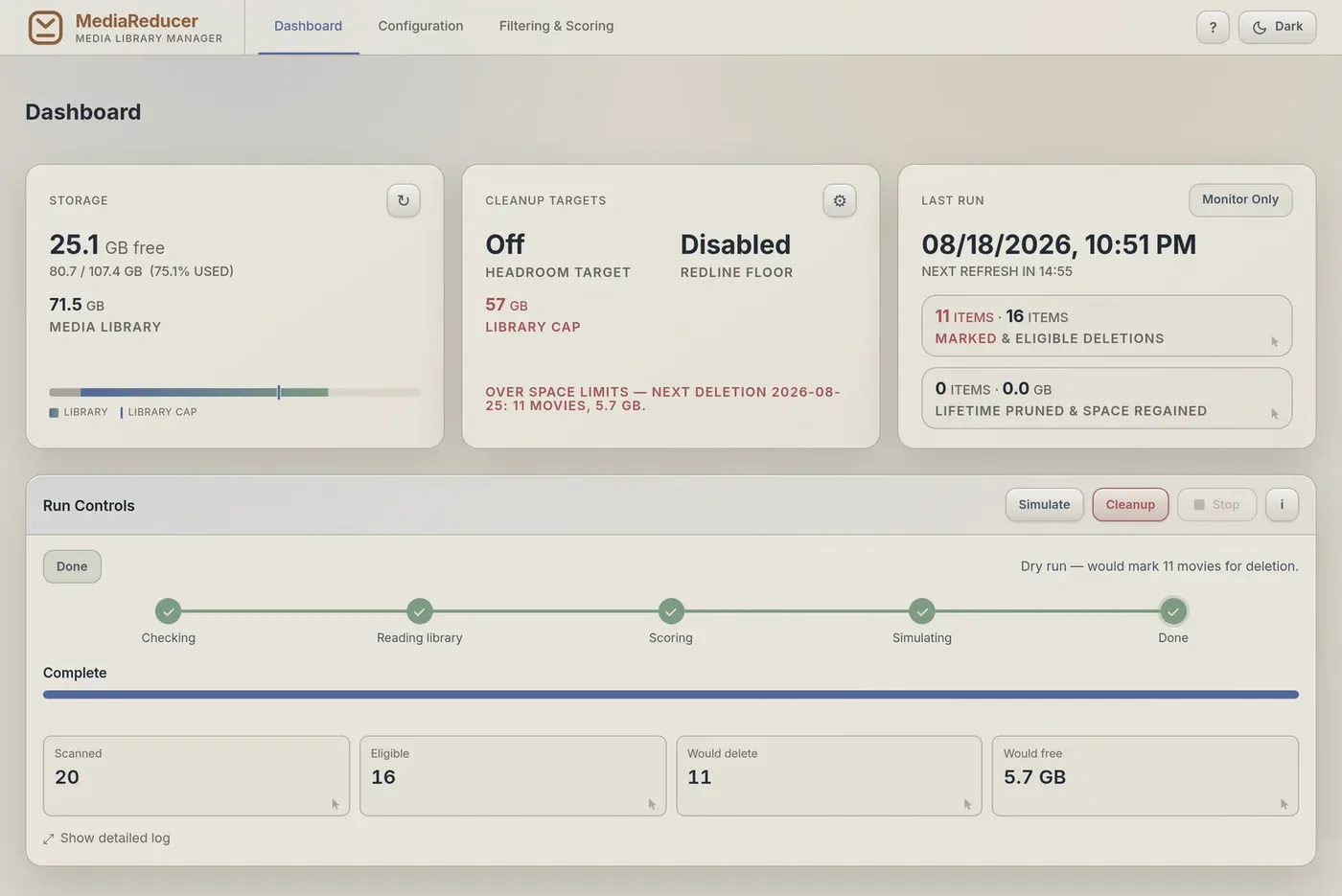
Early, experimental software whose whole job is deleting files. Keep backups, lean on Simulate, and don't point it at media you can't stand to lose. There is no recycle bin.
The web UI has no login. Keep it on your LAN and reach it over a VPN from outside.
Built for one situation.
A NAS where the media is secondary. The backups, photos and documents come first, the library lives in the leftover space, and when that runs out MediaReducer makes its best guess at what you are least likely to miss.
If you want fine-grained, rule-by-rule control instead, Maintainerr is probably the better fit.
How it works
Read, score, reduce.
01 · READ
Match every file
Movies are matched by fingerprint, folder name plus file name, so your media server's mount paths never need to line up with MediaReducer's. The file on disk is the size authority.
02 · SCORE
One 0–100 scale
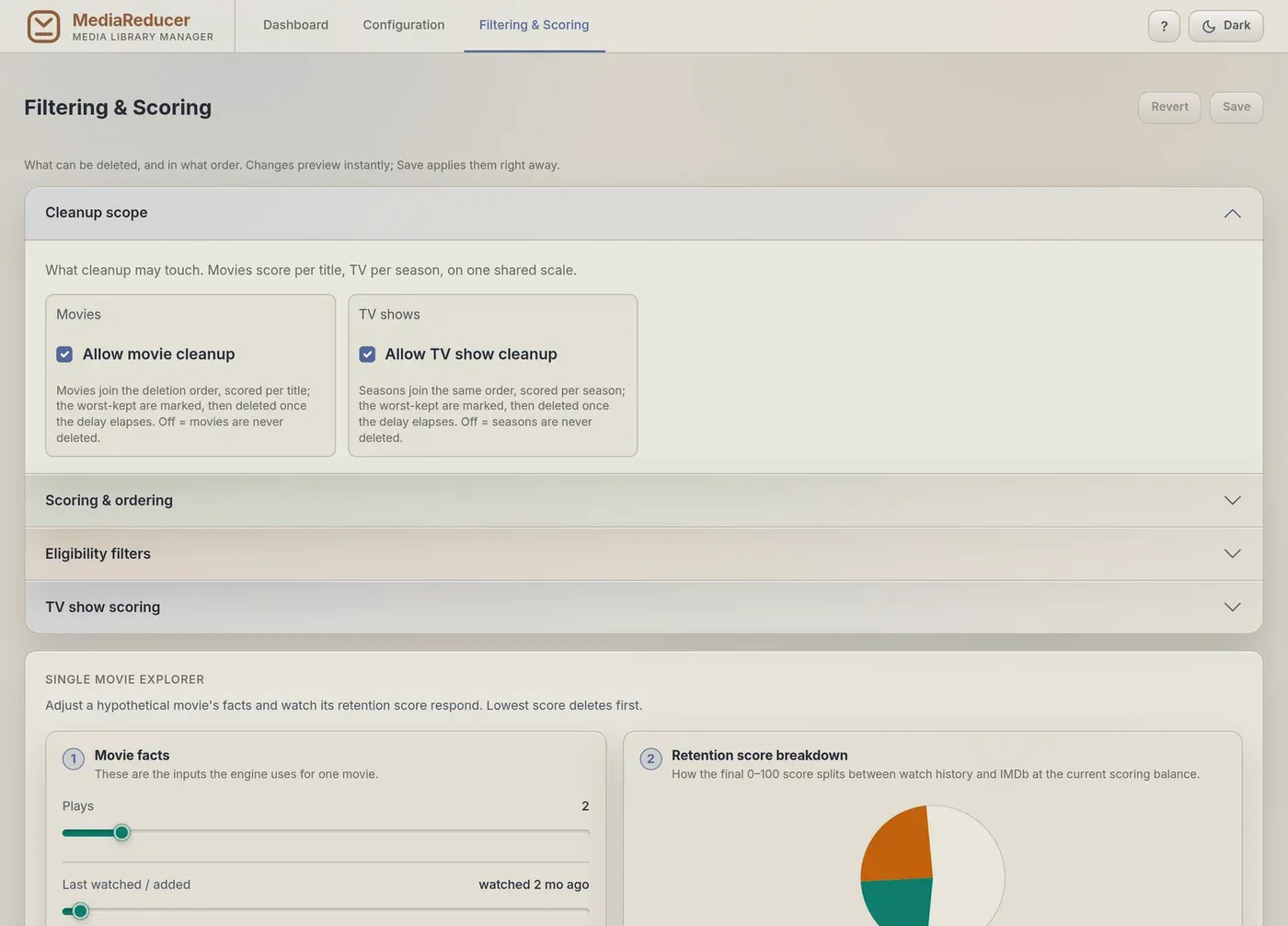
Watch history (how often, how recently, by how many people) blends with an IMDb rating weighted by its votes. Higher means keep. Near-ties go to the bigger file, so you lose the fewest titles.
03 · REDUCE
Lowest goes first
When free space drops below your headroom target, or the library outgrows its cap, the lowest scores are marked and deleted after a delay you choose, just enough to get back inside the limit.
See it before it happens
Simulate first. Always.
Simulate scans, scores and logs exactly what would be deleted, deleting nothing. It writes the plan every cleanup works from, and the Cleanup button stays greyed out until you have seen that plan for your current settings.
Every rule previews live against your whole library: change a weight or a filter and watch the deletion order move.
Features
Everything a careful janitor needs.
limits
Three space limits
A headroom target, an optional Redline emergency floor, and an optional Library Size Cap, each showing how far away it is as you type.
tv
TV in whole seasons
Never single episodes. Only the oldest season by default, the latest held back until a show has ended, and an episode cap that protects anime and dailies.
protect
Hard protections
Protected collections, Jellyfin favourites, a grace period for new arrivals, an IMDb ceiling and unplayed titles: exclusions, not score penalties.
schedule
Paused, Monitor, Automatic
Start in Monitor Only to watch the plan for a while. Automatic Cleanup unlocks only once setup is complete and healthy, and drops back to Monitor after a restart.
*arr
Radarr & Sonarr, if you like
Optionally removes a deleted movie from Radarr, or unmonitors a season in Sonarr first, so nothing downloads straight back. Both are off until you opt in.
notify
Alerts where you are
Run summaries and low-space warnings through Apprise: Discord, Telegram, Slack, Pushover, ntfy, Gotify, email and a hundred more.
Safety rules
It fails closed.
- Deleting is opt-in per media type, and both movies and TV ship switched off.
- Every deletion must resolve inside
/libraryand inside a folder you listed. Symlinked media is never deleted. - A media server failing mid-run aborts the run, and a run won't start until every selected server is healthy.
- A protected collection that stops matching anything aborts the run rather than running unprotected.
- If most files disagree in size with your server, it looks like the wrong library is mounted, and nothing is scored.
- Stopping or restarting mid-run is safe: it finishes the file it is on, records it, and shuts down cleanly.
Install
Up in a few minutes with Docker Compose.
You'll need:
- Docker Compose, or Unraid's Compose Manager
- Plex with Tautulli, Jellyfin, or both
- Your media mounted writable at
/library - Internet access for IMDb's ratings dataset
- Radarr and Sonarr are optional
git clone https://github.com/aquilaelabs/MediaReducer.git \
    /mnt/user/appdata/mediareducer
cd /mnt/user/appdata/mediareducer
cp .env.example .env     # set PLEX_LIBRARY_PATH and friends
docker compose up -d --build
# then open http://your-server-ip:7474
The first launch opens a welcome guide; work down the Configuration tab from Scheduler Mode to Space Thresholds. A fresh install starts Paused and deletes nothing until you say which media types it may touch.